

返回模型列表
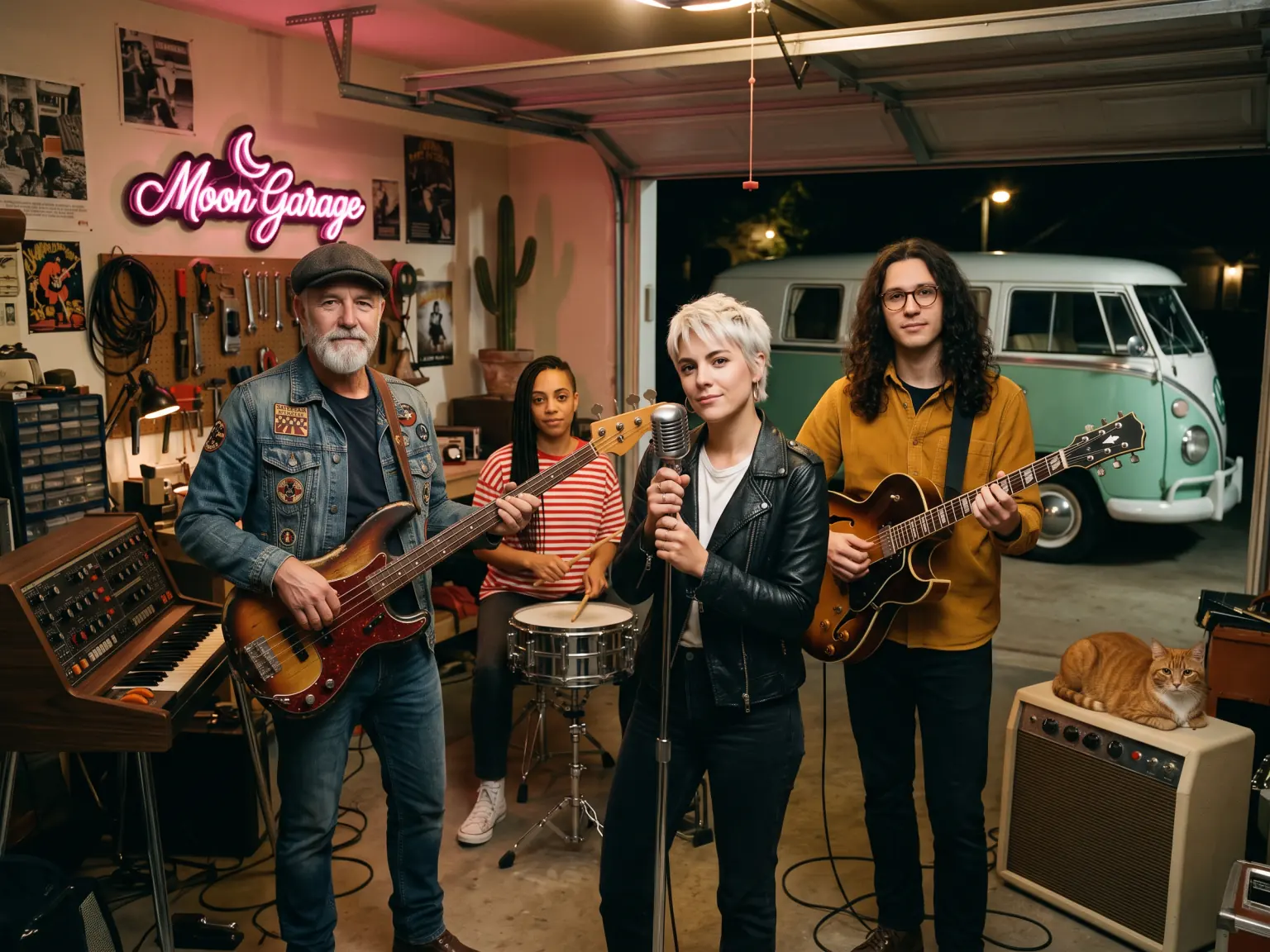
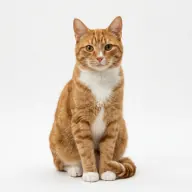
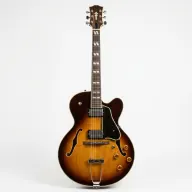
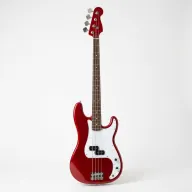
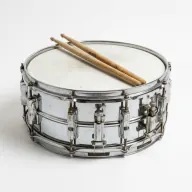
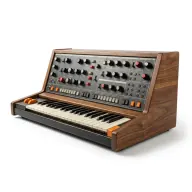
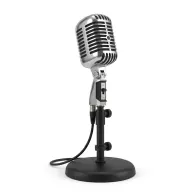
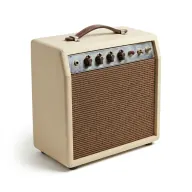
用 14 张参考图(4 位乐手、1 只猫和 9 件道具)合成的虚构乐队 Moon Garage 专辑封面
14 张参考图 → 1 张图

Nano Banana 2.1 API

Google · Nano Banana图像模型正常

Nano Banana 2.1 API 调用 Google 最新的 Nano Banana 模型:文字出图,或传最多 14 张参考图改图;auto 加 14 种画幅(8:1 到 1:8),1K / 2K / 4K,思考强度和 Google 搜索不加价,按张计费。

定价

1K 一张

4.2 折
¥0.096¥0.228/ 张
  • 支付宝付款,按人民币结算
  • 无需海外信用卡
  • 无需海外账号或组织验证
  • 按量计费,余额不过期
变体

输入

参考图片(可选)

最多 14 张 · 支持 JPEG、PNG、WebP

0 / 14
上传
2552 / 32000
比例
分辨率

更多参数

生成设置

思考程度

模型出图前的思考程度,各级别价格相同。

预估费用¥0.107 / 张3.1 折官方价约 ¥0.343
¥1 可生成约 9 张

输出

示例输出2K16:9思考程度:高

结果链接为签名链接,保留 24 小时,需要保存请及时下载;失败的任务全额退款。

充值前先算清楚

Nano Banana 2.1 API 出一张图多少钱

按张计费,价格只看分辨率:文生图和改图同价,参考图不另收费。账户余额和扣费都按美元计;用支付宝付款时,按下单时的汇率折成人民币支付。

你的第一次测试

1K 一张

$0.0142$0.034/ 张

提交时冻结这一张的价格,出图后扣款;失败的任务全额退回余额。

充值后大约能出(1K)

$10调提示词、做效果验证
约 705 张
$50一批电商主图或社媒配图
约 3,527 张
$100接进产品做小规模上线
约 7,055 张

$5 起充 · 余额不过期

去充值 →

常见花费

文字出图

1K · 文生图

$0.0142$0.034

最便宜的一档,先用它调提示词

改图 · 14 张参考图

1K · 图生图

$0.0142

参考图不另收费;官方另按输入 token 计

2K 成图

2K

$0.0157$0.050

社媒、详情页够用

4K 大图

4K

$0.0189$0.113

印刷、大屏

分辨率1K2K4K
每张$0.0142$0.034$0.0157$0.050$0.0189$0.113

划线为 Google Gemini API 官方每张约价,由官方按 token 计的价格折算。按成功出图的张数和分辨率计费,失败不扣费。

Nano Banana 2.1 模型介绍

Nano Banana 2.1,Google 新一代图像模型,文字更清晰、编辑更稳定

Nano Banana 2.1 是 Google 2026 年 10 月 6 日发布的 Nano Banana 图像模型。Google 强调三点:整体画质更干净、图中文字更清晰、同一张图连续改几轮更稳定。用 Nano Banana 2.1 API 可以做海报和广告图、反复修改商品图、根据最新信息出图,以及 8:1 到 1:8 的横幅和长条图。

Nano Banana 2.1 能做什么

Nano Banana 2.1 提示词示例

每项配一张样图,标明是 APIKO 实测还是 Google 官方示例;字段和上限见下面的参数卡。

广告海报 · 2K · 16:9

APIKO 实测 · 2K 文生图 · 2752×1536 · thinking high

可直接使用的排版文字

标题、标语和小字都能直接画进图里。这张海报从「SMALL BANANA. BIG IMAGINATION.」到底部小字,每一行都和提示词写的一样。

要出现的文字放在引号里写全,并写明放在哪里。这张用的是 2K、16:9、thinking_level high。

提示词(原文)

Create an award-worthy creative advertising poster with the concept: “One banana, an entire future world.” The hero subject is a large, ripe banana resting on a pale cream photography surface, occupying approximately the right two-thirds of the composition. Its naturally curved peel has realistic fine fibers, tiny freckles, and a subtle organic sheen. It must look like a real banana, never a plastic toy. One side of the banana is elegantly peeled open, with three strips of peel draping naturally onto the surface. Inside, instead of ordinary fruit, reveal a beautifully crafted miniature futuristic city: transparent glass buildings, elevated walkways, small botanical conservatories, and a flowing blue canal. The buildings follow the inner curve of the banana. Every structure sits convincingly within the banana, with coherent perspective and believable spatial relationships. A tiny pedestrian bridge extends from the city onto the photography surface. At the end of the bridge, a miniature person wearing a yellow raincoat looks up at the city, creating a striking sense of scale. Warm light glows from the buildings, revealing distinct textures across glass, water, plants, and banana peel. Combine luxury product photography with highly detailed miniature architectural photography. Use soft side and back lighting, natural contact shadows, and crisp detail throughout the banana and miniature city. Keep the background clean. The palette consists of cream white, banana yellow, and restrained accents of icy blue. The scene should feel imaginative while maintaining realistic optics and lighting. Reserve the left side for elegant typography. Render exactly the following English text: Small heading at the top: “NANO BANANA 2.1” Large headline in the middle, arranged on two lines: “SMALL BANANA.” “BIG IMAGINATION.” Smaller supporting line underneath: “Give every idea a world of detail.” Brand signature at the bottom left: “APIKO” All text must be spelled correctly, sharp, and clearly readable. Use refined modern sans-serif typography with consistent alignment, generous spacing, and a strong visual hierarchy. Do not add any other words, duplicate letters, random symbols, or extra logos. Typography must never overlap the banana. The final image should look ready for a premium brand launch: a striking hero subject, bold composition, intricate details, and restrained editorial typography. Avoid cluttered backgrounds, excessive glow, generic science-fiction imagery, and cartoon styling. Landscape composition, 16:9 aspect ratio.
参考图:前一轮生成的菜单卡
Nano Banana 2.1 改图 · 1K

APIKO 实测 · 1K 改图 · C2PA:Google LLC

多轮编辑保持一致

给参考图,写清要改什么、哪些不动。这张把木桌换成灰色大理石、加了一杯拿铁,菜单卡和上面的每个价格都原样保留。

在 APIKO 上一次最多传 14 张参考图。要继续改,就把上一张结果当参考图再发。

提示词(原文)

Keep the menu card and every word on it unchanged. Replace the wooden table with grey marble and add a latte beside the card.

thinking_level:minimal
thinking_level:high

APIKO 实测 · 同一提示词两档思考 · C2PA:Google LLC

用思考程度处理复杂版式

thinking_level 决定出图前推理多少:minimal、medium 或 high,不传由模型自己决定。这道菜单题两档都把每行字写对了;文字更多、版式更复杂时再调高。

在 APIKO 上每一档同价;在线体验里在「更多参数」中设置。

提示词(原文)

A flat lay photo of a printed cafe menu card on a wooden table. The card reads, exactly: title "HARBOR BEANS", then three lines "Flat White $4.50", "Cold Brew $5.25", "Cardamom Bun $3.75", and a footer "Open daily 7am - 3pm". Natural window light.

web_search · 3:4
image_search · 16:9

APIKO 实测 · 1K · C2PA:Google LLC

基于 Google 搜索生成

打开 web_search,模型会先查 Google 再出图,这张东京天气海报的返回里带有搜索记录。image_search 会参考 Google 图片搜索的结果,右边的里亚托桥就是这样生成的。

两个开关默认关闭,在 APIKO 上不加价。发布前核对日期和数字:这张海报生成时东京已是 11 月 8 日凌晨,图上写的仍是 11 月 7 日下午。

提示词(原文)

A poster of today's weather forecast for Tokyo with the real current temperature

8:1 · 2K · 5856×704
8:1 · 1K · 2928×352

APIKO 实测 · 8:1 · C2PA:Google LLC

从 8:1 横幅到 1:8 长条

auto 加 14 种画幅,覆盖方图、4:5 信息流、16:9 和 21:9 头图,以及 4:1、8:1、1:4、1:8 的超长条,横幅不用再从方图里裁。

实测 8:1 在 1K 返回 2928×352,在 2K 返回 5856×704。

提示词(原文)

A panoramic city skyline at dusk along a river, warm windows, no text.

Nano Banana 2.1 适合哪些场景

海报与广告创意

带标题和标语的产品主视觉,文字直接渲染在图中,可用于新品发布或营销活动。

2Kthinking_level: high

迭代式产品图

对同一张产品图连续修改,产品、光线和场景保持不变。

images ≤ 142K

时效性视觉

开启 web_search,制作依赖最新事实的图片,例如活动回顾、天气或新闻中的地点。

web_search1K

横幅与特殊尺寸

网站长条图、竖版故事画面和电商横幅,8:1 到 1:8 直接出图,无需裁切方图。

8:1 / 1:82K

Nano Banana 2.1 模型规格

下面是 nano-banana-2.1 请求体里的全部字段,默认值取自 API。

modelstring

模型 ID,固定为 nano-banana-2.1。

默认值:必填

promptstring

画面描述;要出现的文字放在引号里写全。

默认值:必填

sizeenum

画面比例:auto, 1:1, 1:4, 4:1, 1:8, 8:1, 2:3, 3:2, 3:4, 4:3, 4:5, 5:4, 9:16, 16:9, 21:9。改图不传时沿用参考图的比例。

默认值:1:1

resolutionenum

1k, 2k, 4k,按档位计费。

默认值:1k

imagesarray

参考图的公网 HTTPS 链接,1–14 张;POST /v1/images/edits 必填。

默认值:不传

thinking_levelenum

思考程度:minimal、medium、high;不传由模型决定。

默认值:不传

web_searchboolean

用 Google 网页搜索结果辅助生成(时事、真实地点);不额外收费。

默认值:false

image_searchboolean

用 Google 图片搜索结果作视觉参考;不额外收费。

默认值:false

ninteger

每次 1 张。

默认值:1

asyncboolean

true 时立即返回任务 ID,用 GET /v1/tasks/{id} 查结果。

默认值:false

response_formatenum

url(签名链接,保留 24 小时)或 b64_json。

默认值:url

callback_urlstring

任务完成后通知这个 HTTPS 地址;不传就自己轮询任务状态。

默认值:不传

如何使用 nano-banana-2.1

输入你的想法,按需添加参考图,三步完成创作。

01

描述主体与场景

先写主体、环境和画面目标,再补充材质、光线、镜头与需要出现的文字。

02

选择输出参数

从文字生成图片,或填入参考图地址进行编辑。选择画幅与分辨率,每次运行生成一张图片。

03

验证后接入 API

在线体验确认效果后,用同一提示词和模型 ID 创建异步任务。

Nano Banana 2.1 API 快速开始

两种接法共用同一个 API Key 和余额:在自己的代码里直接调 API,或者让 Claude Code、Codex 通过 APIKO MCP 替你调。

方式一 · 在代码里调用 API

适合:产品后端、批量任务、自动化流程

1

请求鉴权

在控制台创建 API Key,存进环境变量 APIKO_API_KEY,每次请求都在请求头带上 Authorization: Bearer <key>。

2

提交 nano-banana-2.1 任务

向 POST /v1/images/generations 发送模型 ID、提示词和 async: true,立即拿到任务 ID。

3

查询生成结果

轮询 GET /v1/tasks/{id},直到状态变成 completed,读取 data[0].url。结果链接 24 小时后过期,请及时下载。

查看完整 API 文档
POST /v1/images/generations
TASK_ID=$(curl https://api.apiko.app/v1/images/generations \
  -H "Authorization: Bearer $APIKO_API_KEY" \
  -H "Content-Type: application/json" \
  -d '{
  "model": "nano-banana-2.1",
  "prompt": "Create an award-worthy creative advertising poster with the concept: “One banana, an entire future world.”\nThe hero subject is a large, ripe banana resting on a pale cream photography surface, occupying approximately the right two-thirds of the composition. Its naturally curved peel has realistic fine fibers, tiny freckles, and a subtle organic sheen. It must look like a real banana, never a plastic toy.\nOne side of the banana is elegantly peeled open, with three strips of peel draping naturally onto the surface. Inside, instead of ordinary fruit, reveal a beautifully crafted miniature futuristic city: transparent glass buildings, elevated walkways, small botanical conservatories, and a flowing blue canal. The buildings follow the inner curve of the banana. Every structure sits convincingly within the banana, with coherent perspective and believable spatial relationships.\nA tiny pedestrian bridge extends from the city onto the photography surface. At the end of the bridge, a miniature person wearing a yellow raincoat looks up at the city, creating a striking sense of scale. Warm light glows from the buildings, revealing distinct textures across glass, water, plants, and banana peel.\nCombine luxury product photography with highly detailed miniature architectural photography. Use soft side and back lighting, natural contact shadows, and crisp detail throughout the banana and miniature city. Keep the background clean. The palette consists of cream white, banana yellow, and restrained accents of icy blue. The scene should feel imaginative while maintaining realistic optics and lighting.\nReserve the left side for elegant typography. Render exactly the following English text:\nSmall heading at the top:\n“NANO BANANA 2.1”\nLarge headline in the middle, arranged on two lines:\n“SMALL BANANA.”\n“BIG IMAGINATION.”\nSmaller supporting line underneath:\n“Give every idea a world of detail.”\nBrand signature at the bottom left:\n“APIKO”\nAll text must be spelled correctly, sharp, and clearly readable. Use refined modern sans-serif typography with consistent alignment, generous spacing, and a strong visual hierarchy. Do not add any other words, duplicate letters, random symbols, or extra logos. Typography must never overlap the banana.\nThe final image should look ready for a premium brand launch: a striking hero subject, bold composition, intricate details, and restrained editorial typography. Avoid cluttered backgrounds, excessive glow, generic science-fiction imagery, and cartoon styling.\nLandscape composition, 16:9 aspect ratio.",
  "size": "1:1",
  "resolution": "1k",
  "async": true
}' | python3 -c 'import json,sys; print(json.load(sys.stdin)["id"])')

while :; do
  TASK=$(curl -s https://api.apiko.app/v1/tasks/$TASK_ID \
    -H "Authorization: Bearer $APIKO_API_KEY")
  printf '%s\n' "$TASK"
  printf '%s' "$TASK" | grep -qE '"status": *"(completed|failed)"|"error": *\{' && break
  sleep 5
done

方式二 · 在 Claude Code 或 Codex 里调用

适合:快速出片、试提示词、让 Agent 帮你把接入写好

1

装上 APIKO MCP

Key 放在环境变量里,不要贴进对话。

2

告诉 Agent 要什么

画面、画幅、清晰度和画质,再给一个预算上限。

3

Agent 报价、提交、跟进

先 estimate_cost 报价,再 generate_image 提交,把图片链接给你。

# Claude Code

claude mcp add apiko --scope user -e APIKO_API_KEY=sk-... -- npx -y apiko-mcp

# Codex

codex mcp add apiko --env APIKO_API_KEY=sk-... -- npx -y apiko-mcp

Agent 提示词

用 APIKO 的 nano-banana-2.1 生成一张图:1K、1:1。提示词:<在这里写画面>。先用 estimate_cost 报价,超过 $1 先问我;确认后用 generate_image 提交,把图片链接发给我;失败就告诉我原因。

开始用 Nano Banana 2.1 创作

在本页在线体验调好提示词、比例、分辨率、思考程度和搜索增强,再通过 APIKO API 用同一个模型 ID 调用。

获取 API Key

更多 Google 模型

探索 APIKO 上的 Google 图像与文本模型,为不同任务选择合适的能力。

Nano Banana 2.1 常见问题

Nano Banana 2.1 是什么?何时发布?

Nano Banana 2.1 是 Google 的图像生成与编辑模型,于 2026 年 10 月 6 日发布,是 Nano Banana 2 的后续版本。它在 APIKO 上的模型 ID 是 nano-banana-2.1。

它和 Nano Banana 2 有什么不同?

Google 介绍它的整体画质、排版与文字渲染,以及多轮编辑的一致性都有提升。在 APIKO 上它支持的参数也更多:14 种比例加 auto(Nano Banana 2 为 8 种)、最多 14 张参考图(Nano Banana 2 为 9 张)、thinking_level,以及 web_search / image_search 搜索增强。

支持哪些分辨率和比例?

resolution 可选 1k、2k、4k(默认 1k)。size 可选 1:1、1:4、4:1、1:8、8:1、2:3、3:2、3:4、4:3、4:5、5:4、9:16、16:9、21:9,或传 auto 由模型选择。不传 size 时,生成默认为 1:1,编辑沿用参考图的比例;多张参考图比例不同时由模型自行选择,需要固定比例请传 size。

thinking_level 有什么用?

它控制模型出图前的思考程度:minimal、medium 或 high;不传时使用模型默认值。较高的级别有助于处理密集文字和复杂版式,各级别价格相同。

可以使用 Google 搜索吗?会额外收费吗?

可以。传 "web_search": true,用 Google 搜索结果为图片提供依据(时事、真实地点、事实);传 "image_search": true,用 Google 图片搜索结果作为视觉参考。两者默认都是 false。Google 官方 API 对搜索增强单独计费;在 APIKO 上开启任一项都不改变价格。

最多可以传几张参考图?

在 POST /v1/images/edits 上最多 14 张,每张都须是直接指向图片文件的公网 HTTPS URL。不接受文件上传、base64 和 data URL。本地图片先上传到 POST /v1/uploads/images,再使用返回的链接(保留 72 小时)。

Nano Banana 2.1 在 APIKO 上怎么计费?

按张计费,价格取决于分辨率档位:1K 最便宜,4K 最贵。thinking_level 和搜索增强不影响价格,失败的任务会退款。价格页签会列出各档位的实时价格和 Google 官方价格。

支持同步还是异步调用?

都支持。传 "async": true 可立即拿到任务 id,再轮询 GET /v1/tasks/{id};也可以加一个公网 HTTPS 的 callback_url,任务结束时接收通知。结果链接保留 24 小时。

支持用蒙版做局部重绘吗?

不支持。Nano Banana 2.1 收到 mask 字段会返回 HTTP 400(mask is not supported)。要修改局部区域,请把原图作为参考图发到 POST /v1/images/edits,并在 prompt 里写清改什么、改在哪里;也可以再加一张参考图,说明那里应该出现什么。

Nano Banana 2.1 如何计费?

每次成功调用按公布的单次费率或所选档位计费。失败请求的退款规则见下方问题。

是否兼容 OpenAI?

兼容。使用网关 base URL 与 API Key,并按模型选择图片或视频端点及上方字段。

如何获取 API Key?

注册后在控制台创建 API Key。一个 API Key 可以调用网关上的所有模型。

Nano Banana 2.1 API 可以免费试用吗?

可以。用 Gmail 账号通过 Google 登录,余额自动到账 0.20 美元试用额度,无需绑定信用卡,每人限一次。nano-banana-2.1 和其他所有模型都能用。

如何获取生成的文件?

图片为异步任务:提交请求,轮询 GET /v1/tasks/<id>,完成后读取 data[0].url。视频轮询 GET /v1/videos/<id>,完成后下载 video_url。APIKO 签名链接保留 24 小时。

请求失败会怎样?

失败或报错的调用不计费。可以重试;若持续失败,请点页面右下角的在线客服联系我们。

本页更新于